



Adjust your PC in a matter of seconds just like a professional
The large number of options that an operating system has, and the possibility to modify many of its aspects, make it essential to have an application in which to gather all these possibilities. Ashampoo PowerUp can be that application due to how complete and functional it is.
Optimize the performance of your PC
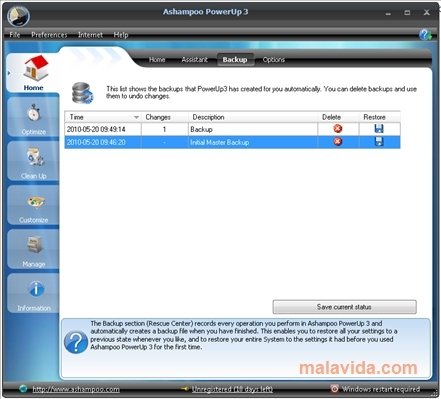
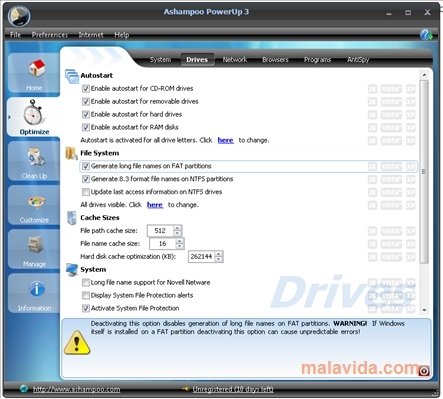
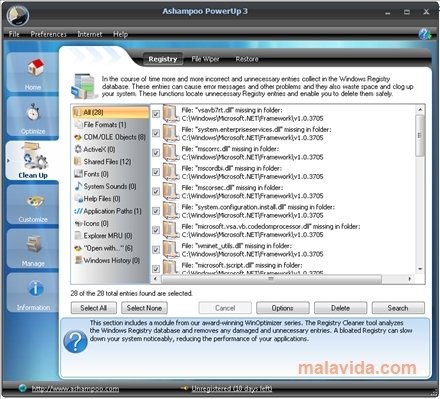
Ashampoo PowerUp includes so many options that it is easy to be overwhelmed by its interface, even though it is actually really clear. Each option has an indicator for each operating system, and are organized by categories: home, optimize, clean up, customize and manage. Each one of these categories hides utilities like the possibility to carry out backups, activate and deactivate many properties or, simply, modify part of the interface. With this application we will be able to carry out things that are as important as optimizing the registry and so trivial as eliminating the direct access arrow from the desktop icons.
Furthermore, task control and processes can be carried out with Ashampoo PowerUp, a very interesting utility due to how limited the one included in Windows is, specially interesting if we take into account that is also allows us to configure security elements and optimize the registry. All this without leaving Ashampoo PowerUp!
Requirements and additional information:
- Only works on 32-bit systems.
- The trial version can be used for 10 days that can be extended to 30 with a free registry.
 Leticia Sorivella
My name is Leticia. I really like movies, television, and music. That is why I studied Audiovisual Communication. In the beginning, I wanted to work in movies, but I ended up on television. Then, I went from being behind the cameras to being in...

Antony Peel